
VIN Decoding
VIN Decoder for Your Dealer Website
Type or scan a VIN and the year, make, model and trim fill in, so new units go online faster.
On every listing
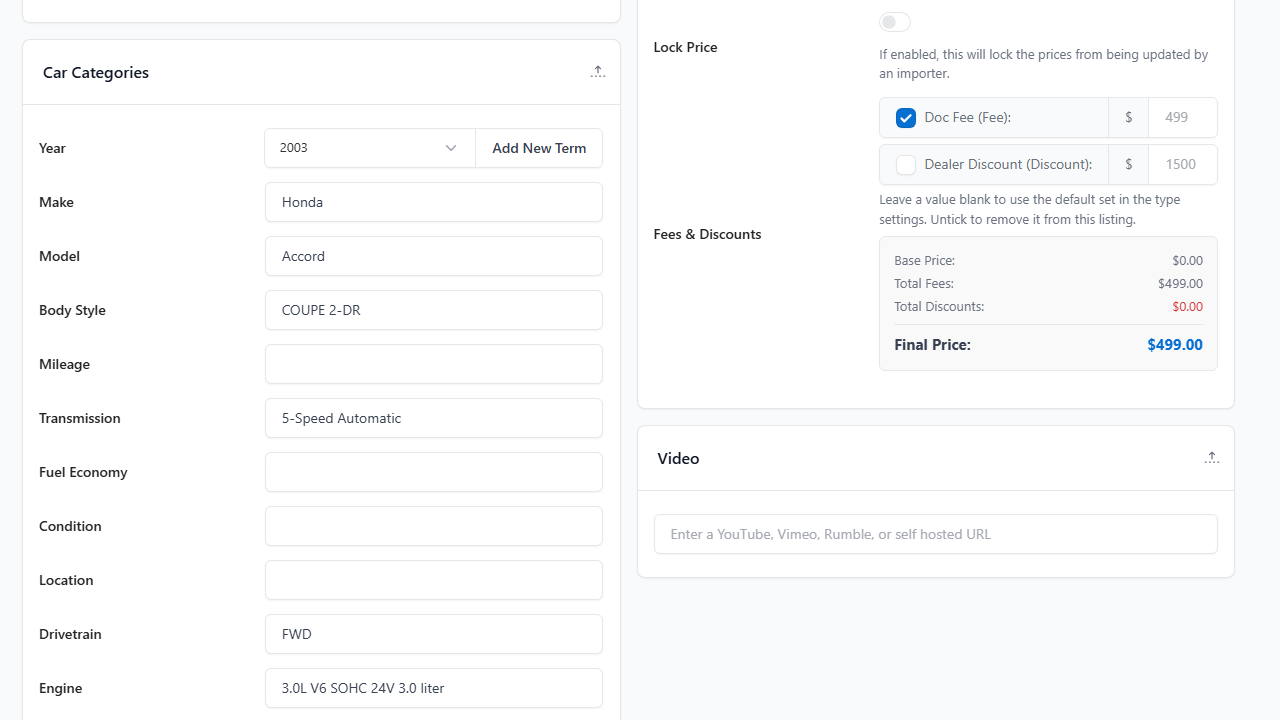
Decode a VIN while you add a listing
Enter the VIN and the specs fill in, so you add inventory faster and with fewer mistakes.
- Year, make, model and trim fill in automatically
- Review the specs before you save
- Add the photos and the price, then publish
Lookups
How VIN lookups work
Each decode uses one lookup.
Free at sign-up
Free VIN lookups when you sign up: 10 on Starter, 25 on Standard and 50 on Pro.
Need more?
Buy extra lookups directly from your WordPress dashboard.
Scan on the lot
Scan a VIN barcode in the mobile app to start a unit from your phone.
What you get
What a decode fills in
One VIN returns the specs shoppers search on, so you type the VIN and skip the rest. A single decode can return more than 100 data fields, from engine and MPG to brakes, warranty and a full equipment list. What comes back depends on the vehicle and its model year.
Basics
Year
Make
Model
Trim
Body style
Where it was built
Powertrain
Engine
Transmission
Drivetrain
Fuel type
City MPG
Highway MPG
Size and weight
Length, width, height
Wheelbase
Curb weight
Towing capacity
Seating
Colors and equipment
Exterior colors
Interior trim
Safety features
Seats and wheels
Audio and navigation
And more
Brakes and suspension
Interior room
Tires
Warranty
Airbags and locks
Lighting
Cargo and capacity
| Field | Decoded Value |
|---|---|
| Year | 2003 |
| Make | Honda |
| Model | Accord |
| Trim | EX V6 Coupe AT with Navigation System |
| Body style | Coupe, 2-door |
| Engine | 3.0L V6 SOHC 24V |
| Transmission | 5-speed automatic |
| Drivetrain | FWD |
| Fuel economy | 21 city / 30 highway mpg |
| Curb weight | 3,294 lbs |
| Exterior colors | Desert Mist Metallic, Graphite Pearl and 6 more |
| Equipment | Navigation, leather seats, power sunroof, traction control |
Example decode of VIN 1HGCM82633A004352, a 2003 Honda Accord.
Frequently Asked Questions
VIN decoding questions
How do I decode a VIN?
Type or scan the VIN when you add a listing, and the year, make, model and trim fill in.
How many lookups do I get?
You get free VIN lookups when you sign up: 10 on Starter, 25 on Standard and 50 on Pro. Buy more directly from your WordPress dashboard. See pricing.
Where can I decode a VIN?
From the listing screen in WordPress, from the mobile app by scanning the VIN barcode, or by asking your AI agent using the AI Actions extension.
Can I scan a VIN barcode?
Yes, in the mobile app. The app is included in Pro, or add the app connector to your lower plan for $25 a month.
Have another question?
Ask us about your inventory, setup or plans.
Get started
Decode your first VIN
Add a listing, type the VIN and let the specs fill in.
Your data stays on your WordPress site, and your layouts stay yours to change.