
Inventory Management
Take Full Control of Your Inventory
DMS gives you full control over your inventory directly inside WordPress. Add, edit, and organize listings with ease while automating key processes and customizing how your inventory is displayed across your website.
Streamlined Inventory Management
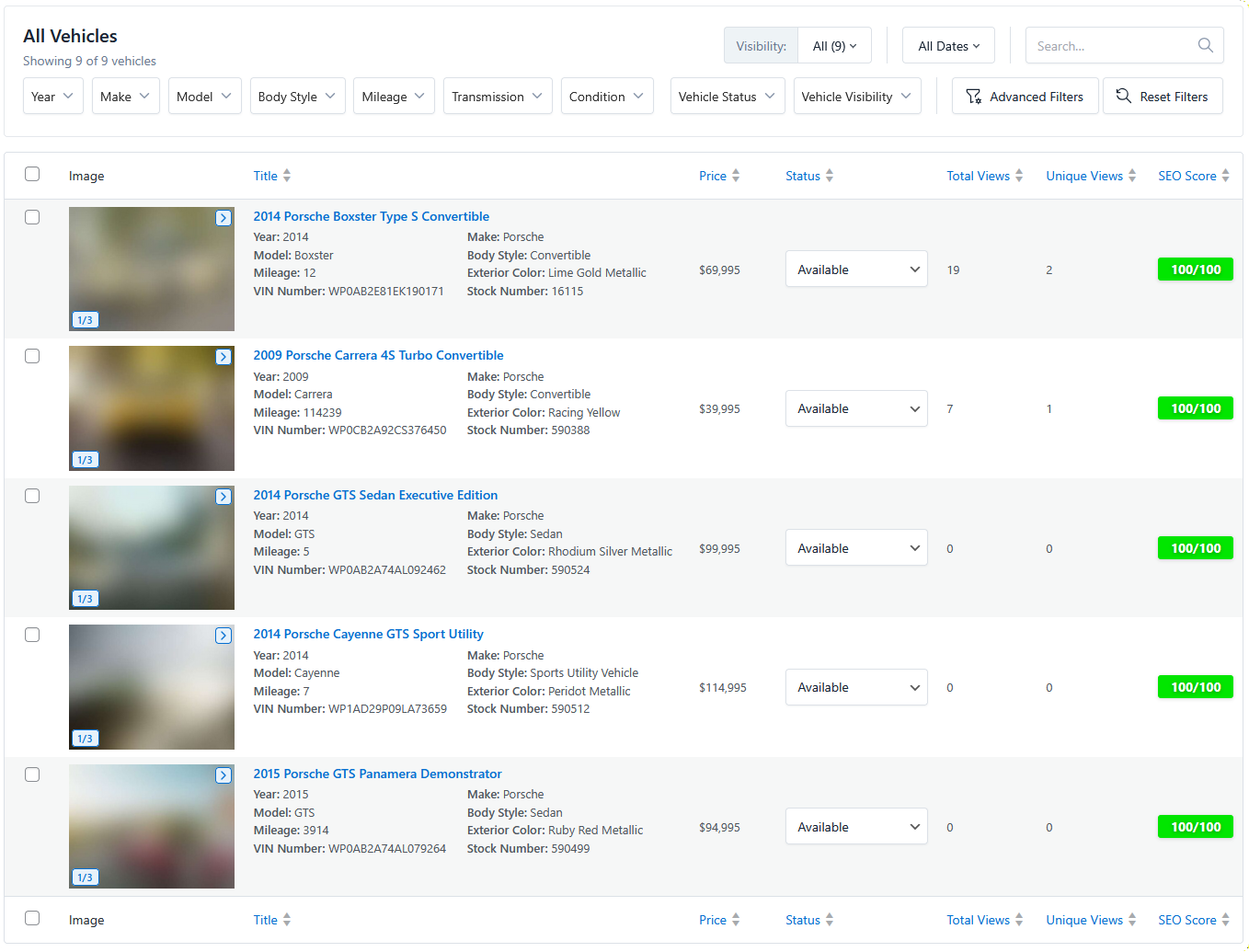
Advanced Listing Filters
Quickly find the exact listings you need using powerful backend filters. Sort by status, price, category, or any custom field with ease.
Customizable Inventory Table
Tailor your inventory dashboard to match your workflow. Choose which columns to display, reorder them, and adjust widths for a layout that works the way you do.
Inline Editing
Update listing details directly from the inventory table without opening each item. Quickly change pricing, status, and key fields in just a few clicks.
Duplicate Listings Instantly
Create new listings by duplicating existing ones. Perfect for similar inventory, saving time while keeping your data consistent.
Customize Every Detail of Your Listings
Flexible Listing Controls
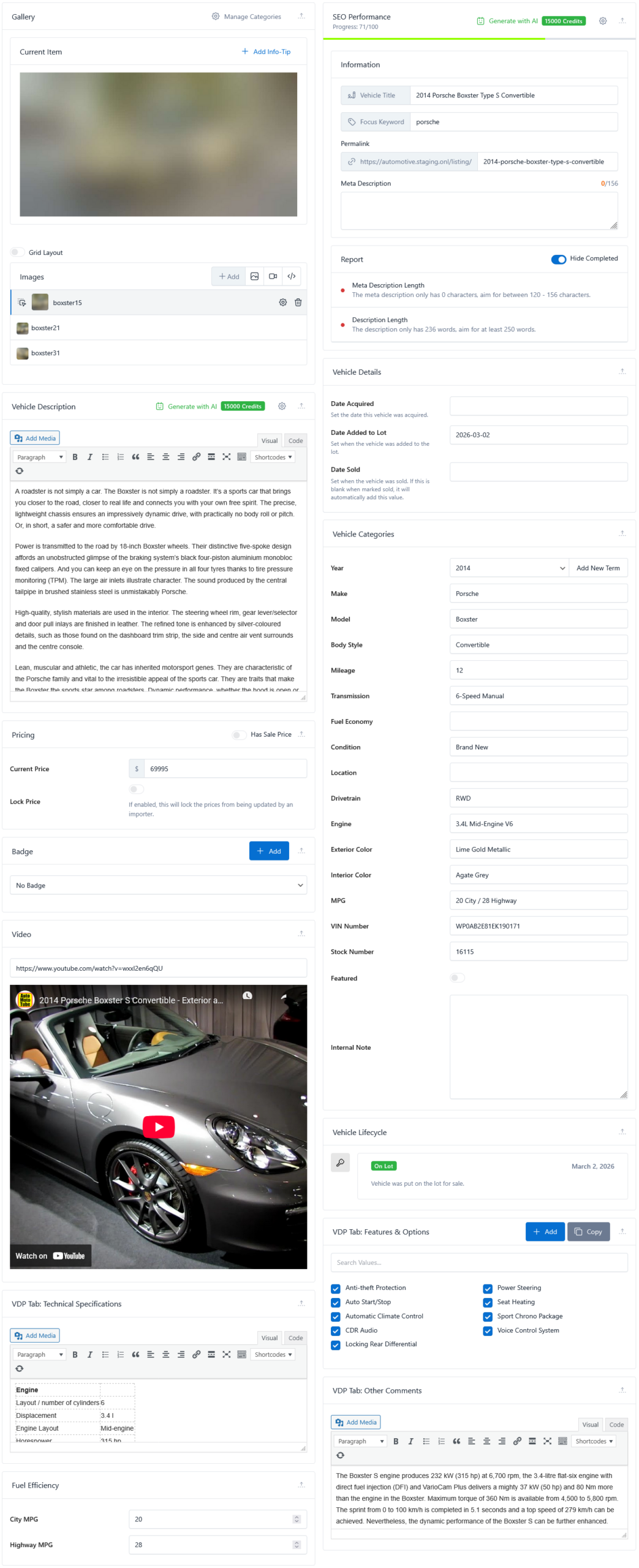
Easily publish, unpublish, and manage listing statuses to control what appears on your website at any time.
Built-In SEO Optimization
Optimize each listing for search engines with customizable SEO settings to improve visibility and rankings.
Flexible Field Types
Build custom listing fields using a variety of input types such as text, textarea, toggle, checkbox, and icon fields to match your exact inventory and workflow needs.$
Custom Categories
Organize your inventory with custom categories to keep listings structured, searchable, and easy to navigate.
Custom Badges & Highlights
Add badges to showcase key selling points like “New Arrival,” “Sold,” or “Special Offer” directly on listings.
AI-Powered Assistant
Generate SEO-rich descriptions, highlight features, and enhance listing content automatically using built-in AI tools, reducing manual writing time.
Advanced Media Gallery
Upload and organize images, or enhance your gallery with custom HTML and videos to better showcase each listing.
Pricing & Sale Management
Set standard and sale pricing while highlighting deals to make your listings more competitive and engaging.
Inventory Lifecycle Tracking
Track important dates such as when a vehicle was acquired, added to the lot, or sold for better inventory management.
Rich Listing Details
Add features, videos, and detailed information to create more engaging and informative listings for potential buyers.