
Inventory management
Dealer Inventory Management Software
Set up cars, boats, RVs or equipment as their own inventory types, with your own fields, filters, statuses and badges. Manage all of it inside WordPress.
Inventory types
One system for every kind of unit.
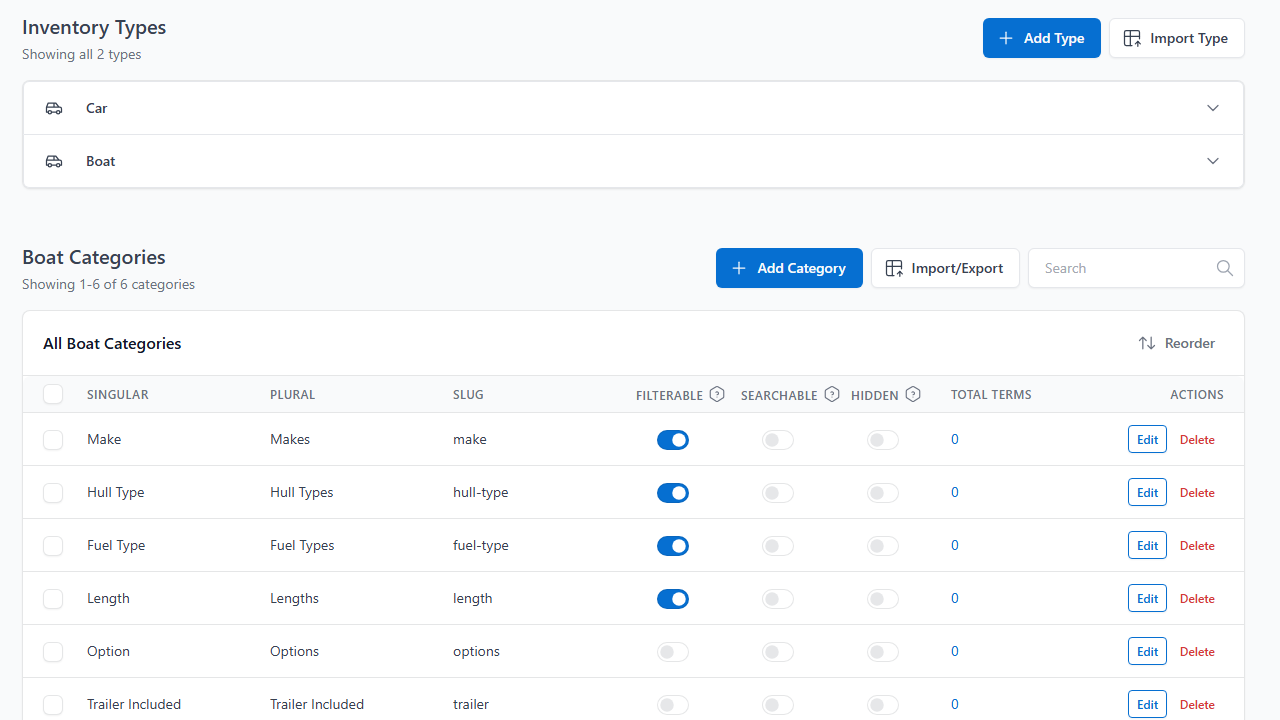
Each inventory type is its own world, with its own categories, statuses, badges, groups, templates and menu. Sell cars and trailers side by side without bending one form to fit both.
- Name each type and set its URL slug
- Add detail-page tabs such as Specs, Features or Location
- Choose from ten field types, from dropdown and toggle to date and file
Setup
Set up the fields, filters, statuses and badges you actually use
Every inventory type gets its own set, so a boat is never forced into car fields.
Fields and filters
Mark any category filterable or searchable, add prefixes or suffixes such as $ or kg, and sort numbers as numbers.
Statuses
Available, Sale Pending and Sold come ready to use. Add Reserved, In Service or any status your type needs.
Badges
Put Sale or New Arrival on a listing by hand, or let a rule add it whenever a listing matches.
Groups
Collect a promotion into one group and apply a discount or badge to everything in it at once.
Getting inventory in
Get inventory online without retyping it
Import a file, map the columns, check the log.
Bring in a CSV or XML file by upload, URL, FTP or sFTP.
- Map each column or node to a listing field
- See what was added, updated or removed, row by row
- Export to CSV or XML for backups and feeds
Keep Frazer as your source.
Available on Starter and up for $50 a month.
- Changes from Frazer arrive in minutes
- Units removed in Frazer go to the trash on your site
- Leads from your forms reach Frazer, attached to the vehicle
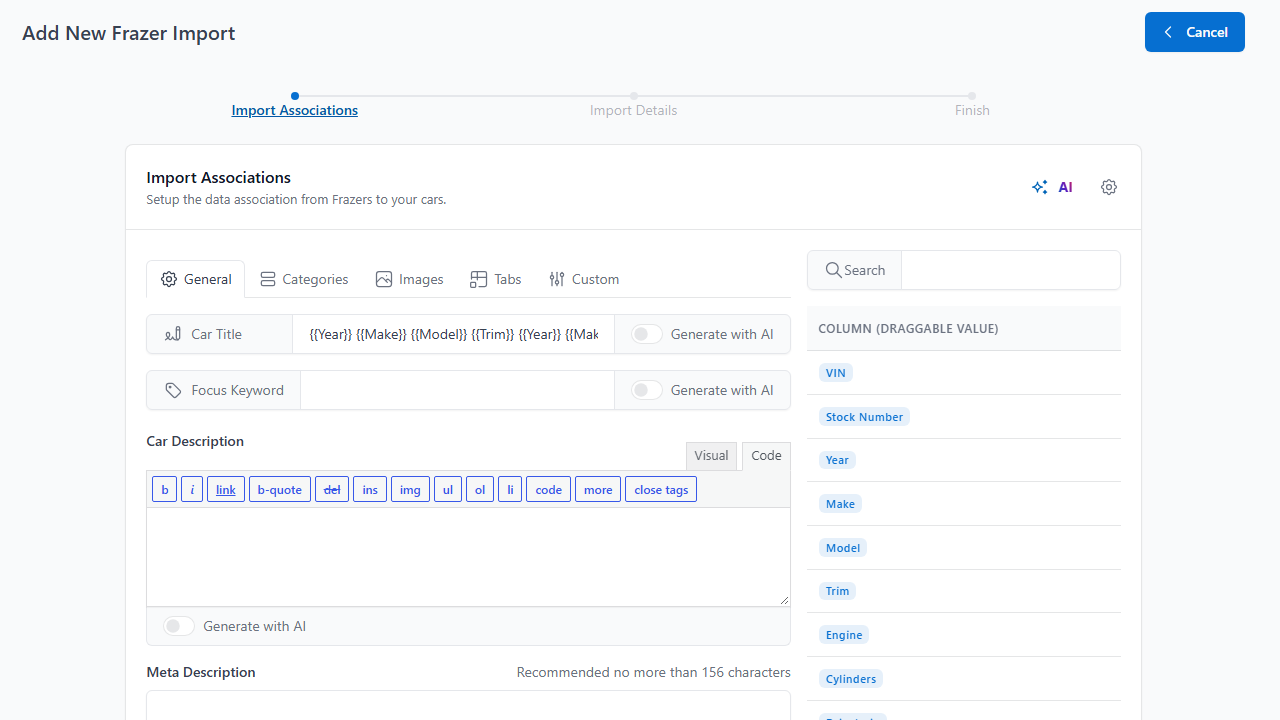
Type the VIN. Skip the rest.
Specs come from the VIN, so there is less typing and fewer mistakes.
- Year, make, model and trim fill in automatically
- Decode while you add a listing
- Free VIN lookups when you sign up
Let the feed update the site.
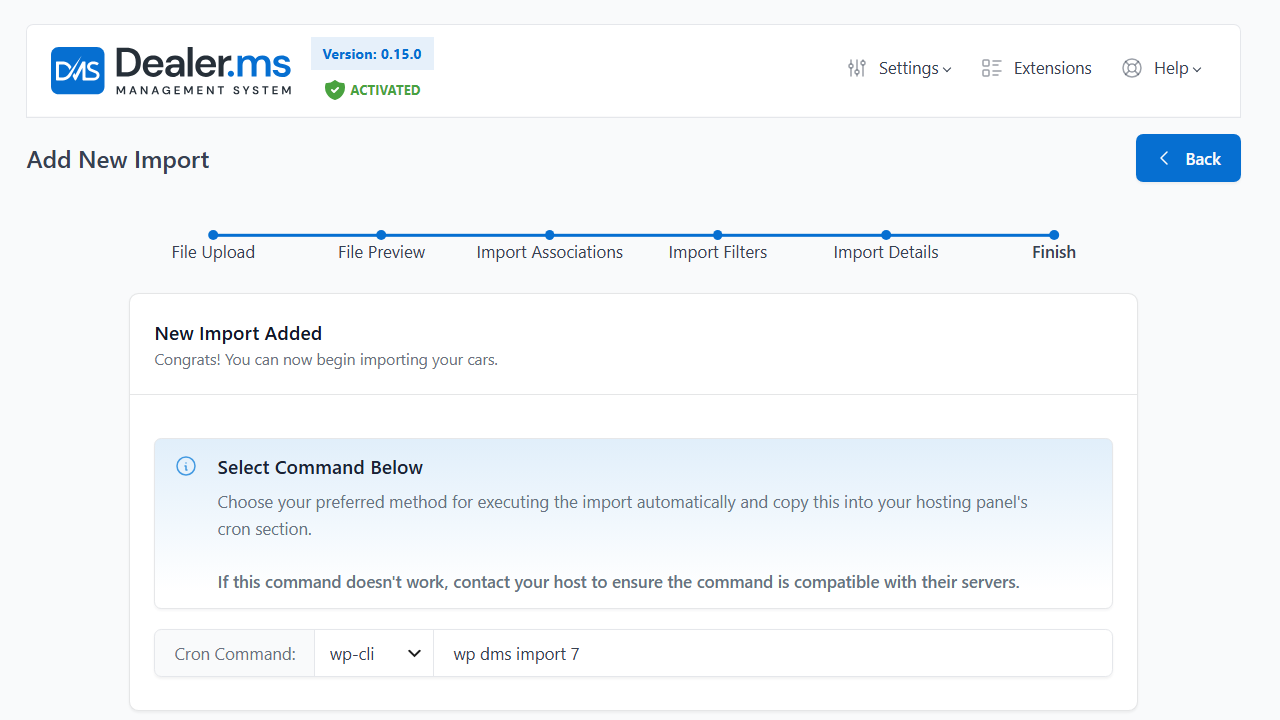
Save an import as automatic and paste one command into your host’s cron. Included from the Standard plan.
- Pull a URL, FTP or sFTP feed on a schedule
- Choose a wget, php, curl or WP-CLI command
- Every run writes a full import log
Shopper pages
Pages shoppers use, designed your way
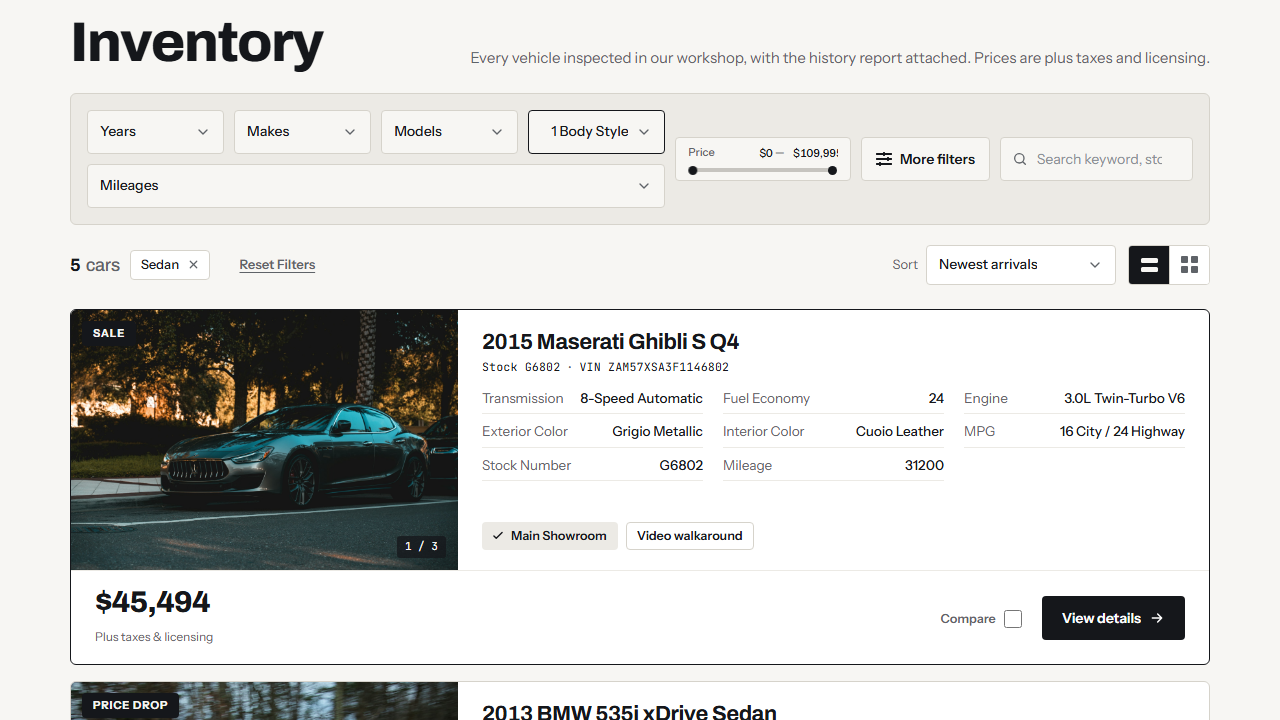
The results page, the result card and the detail page are templates you build in Elementor with the DMS widgets. Put filters on the home page or a landing page if you want.
- Filters from dropdowns to range sliders, swatches and active-filter chips
- Sort, view toggle and listing comparison on the results page
- Filter by any category you mark as filterable
Pricing and fees
Show the real price
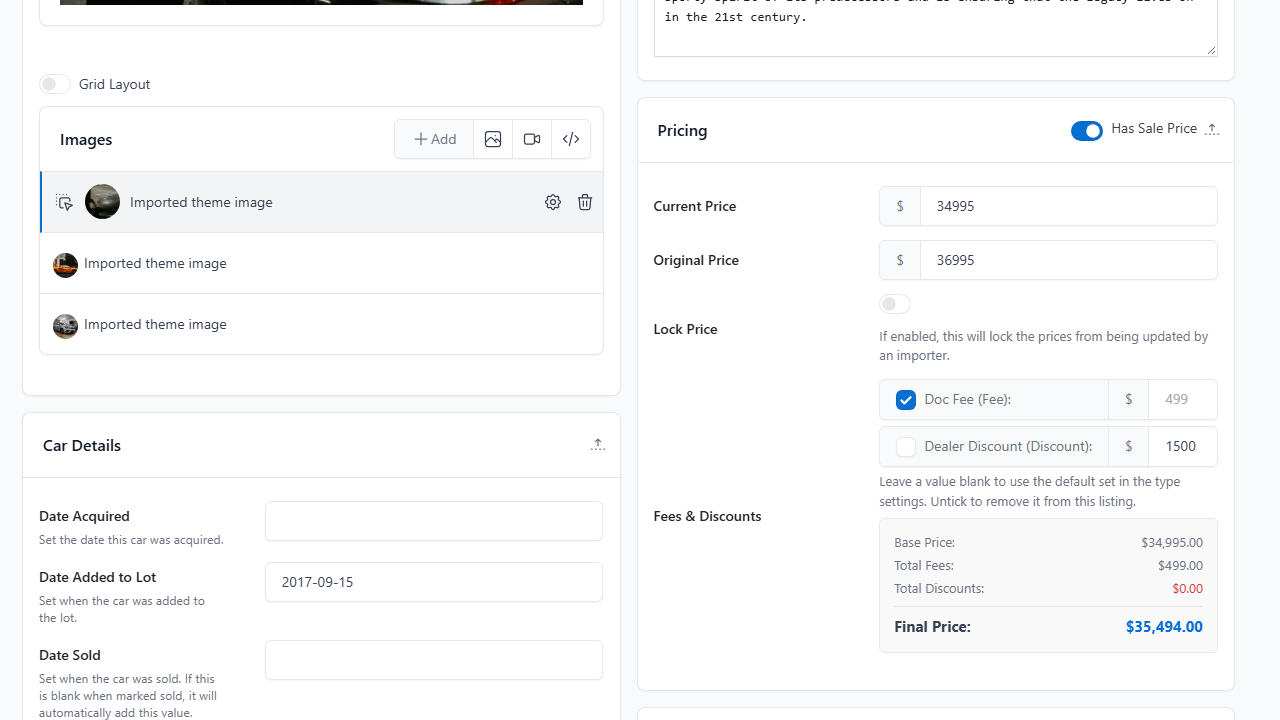
Add a doc fee, a prep charge or a discount once for a whole type, and override it on the units that are different.
- Fixed amounts or percentages
- A final price worked out from price, fees and discounts
- An original price with a strike-through for was and now
Related
Works with the rest of DMS
Automatic Image Optimization
Compress, convert and watermark listing photos, and remove messy backgrounds.
Leads and CRM
Every form becomes a lead tied to the vehicle, with statuses and follow-ups.
Stock Alerts
No-result searches become sign-ups, and an email goes out on a match.
Frequently Asked Questions
Answers before you start
Can I sell more than one kind of unit on one site?
Yes. Each type has its own terms, categories, statuses, badges and templates, so cars and boats, or RVs and trailers, can sit side by side. See the solutions for each kind of unit.
Can I import from my current system?
Yes. Import CSV or XML files by upload, URL, FTP or sFTP (Inventory Import), or connect Frazer. Coming from the Automotive Listings plugin? We can migrate your inventory and keep your shortcodes working.
Do I need a developer to change how listings look?
No. The results page, the result card and the detail page are templates you edit visually in Elementor. Or start from a ready-made design in the template gallery.
Do sold units come off the site?
Statuses control that. Available, Sale Pending and Sold come ready to use, and each status can be set to show or hide on the site. On Standard and up, Lifecycle Automations can change a status or move a listing to draft after a set number of days in stock.
Can staff see only what they should?
Yes. Roles and permissions limit what each staff member can see and do in DMS, including which leads they can view.
What does it cost?
Plans start at $25 a month (USD). The pricing page lists what each plan includes, and the savings calculator shows what you could save against what you pay today.
Have another question?
Ask us about your inventory, setup or plans.
Get started
Get your inventory online and keep it current
Set up your first inventory type and bring in your stock.
Your data stays on your WordPress site, and your layouts stay yours to change.