
Frazer Connector
Frazer Website Integration for WordPress
Keep Frazer as your source of truth. Your inventory flows to your website, and your website leads flow back into Frazer, attached to the vehicle.
How it works
Two directions, one connection
Inventory comes in from Frazer. Leads go back out to Frazer.
Inventory in
Changes in Frazer reach your site within minutes. Units you remove in Frazer go to the trash on your site.
Leads out
Form submissions arrive in Frazer as structured leads, tied to the vehicle the buyer was looking at.
Setup
Set it up once
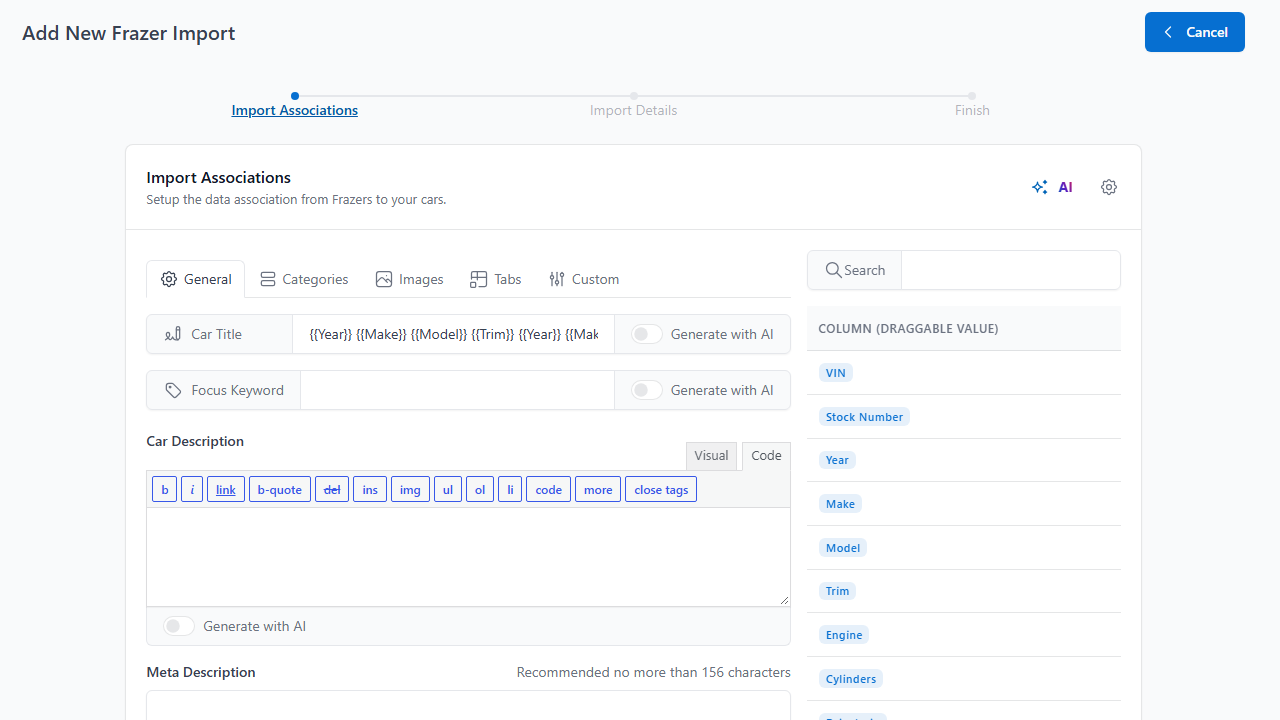
Drag Frazer columns into your listing fields.
Everything Frazer sends is available to map, from VIN and trim to photos, features and pricing.
- Build a title from Year, Make, Model and Trim
- Photos arrive as the listing gallery
- Keep cost columns private, never map them to a public field
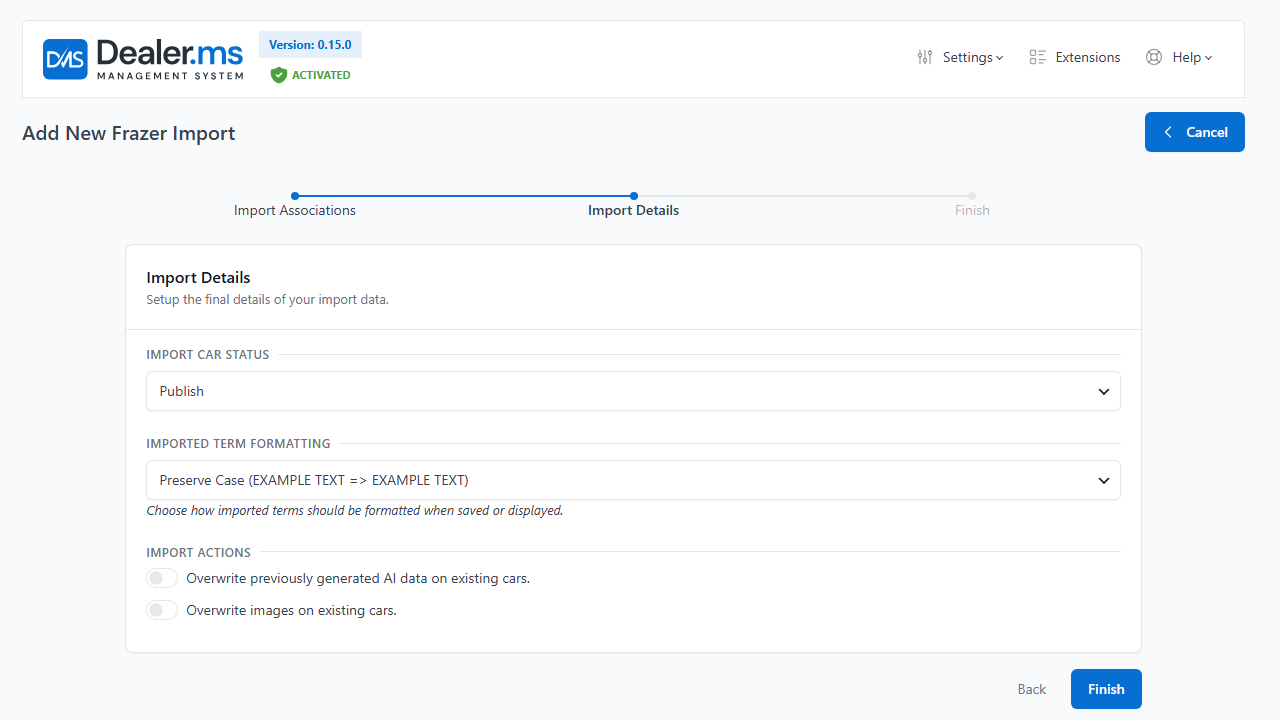
Decide what goes live and what a re-run changes.
Step two controls how imported vehicles are created and updated.
- Publish right away, or import as drafts to review first
- Title Case turns FORD EXPEDITION into Ford Expedition
- Choose what a re-run may overwrite, so your own edits stay
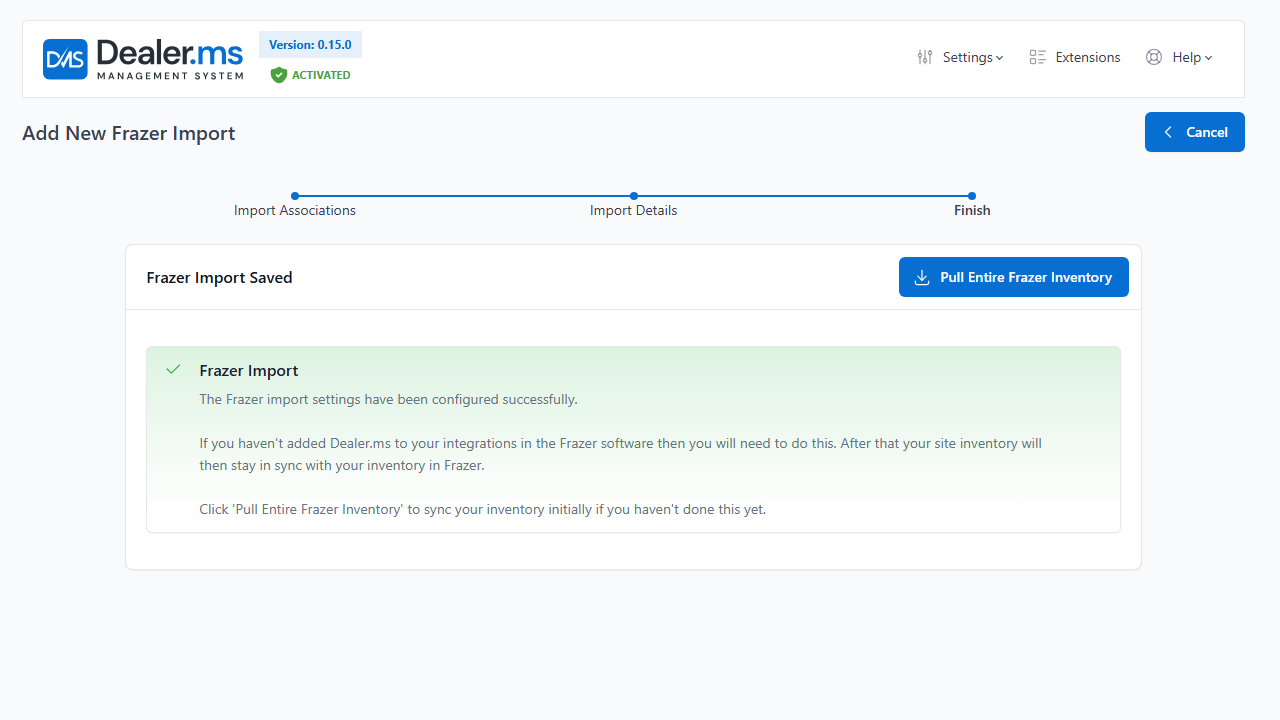
Pull everything in, then let Frazer push the changes.
One button brings in your whole inventory. After that, Frazer sends changes to your site.
- Add Dealer.ms to your integrations in Frazer so updates keep arriving
- Changes reach your site within minutes
- Pull the entire inventory again any time to bring both sides back in step
Clean data
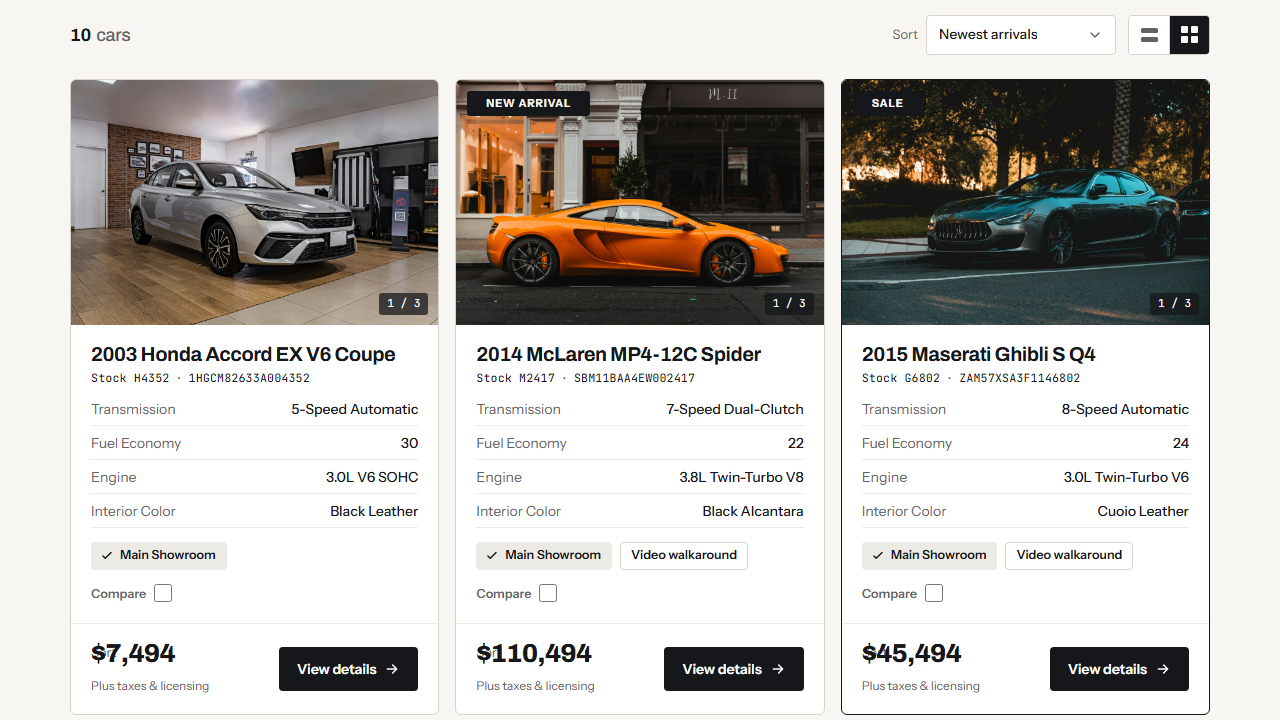
Listings that read well on your site
Frazer stores most text in capitals. Title Case turns FORD EXPEDITION into Ford Expedition as it comes in.
- Photos arrive as the gallery
- Features arrive as a list
- Make, model and trim become your filters
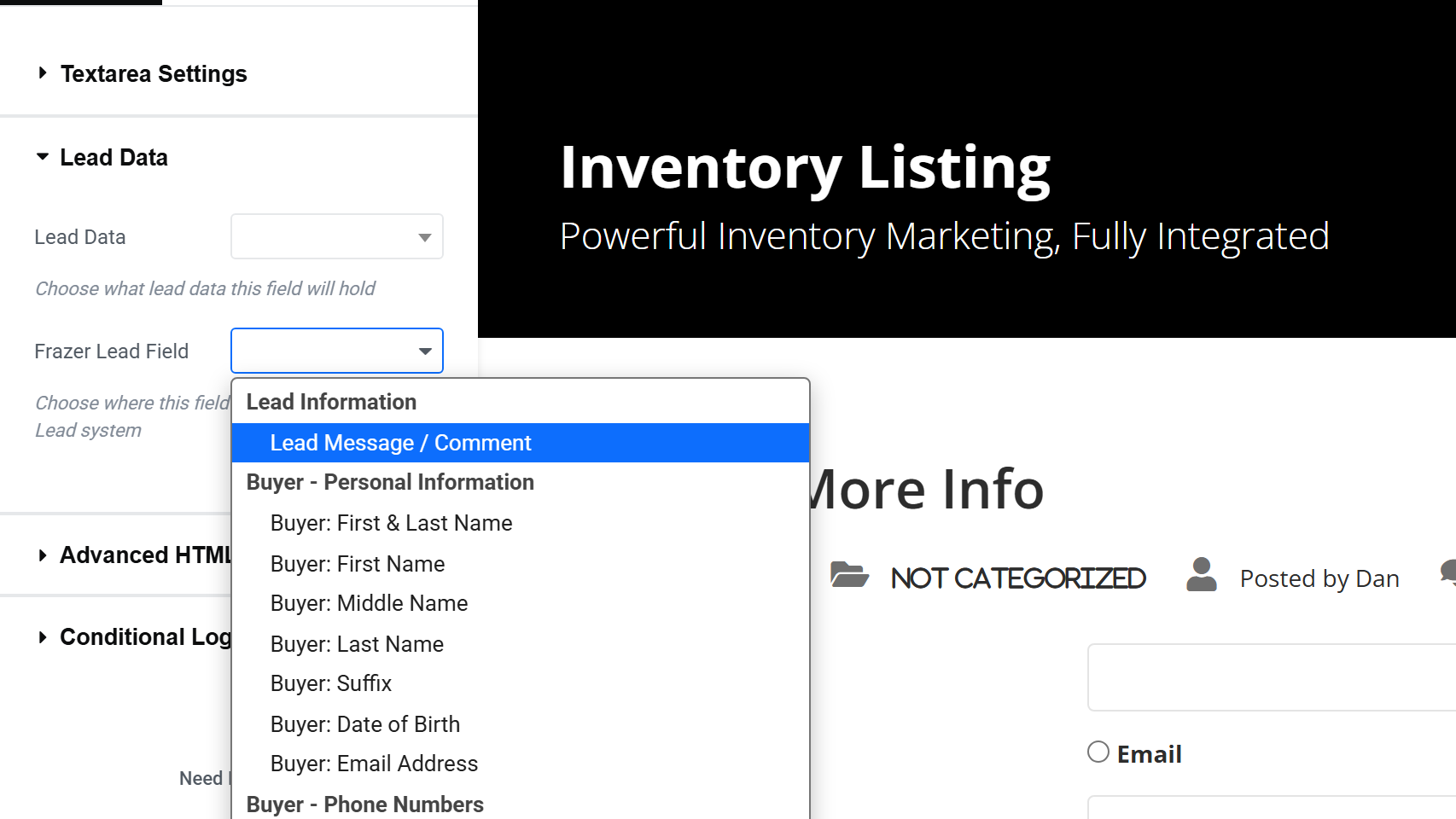
Leads into Frazer
Leads that land in Frazer
Map a form field to a Frazer lead field and a submission arrives in Frazer, attached to the vehicle the buyer was looking at.
- Map only the fields you need
- Unmapped fields still reach your DMS leads
- A form on a listing page carries the vehicle automatically
Pricing
Plans that fit your dealership
The Frazer Connector is an add-on for $50 a month USD on Starter and up, because Frazer charges for its API connection. Plans start at $25 a month.
Frequently Asked Questions
Questions about Frazer sync
Does it update right away?
Changes in Frazer reach your site within minutes.
What if I do not use Frazer?
You can import CSV or XML files by upload, URL, FTP or sFTP instead. See Inventory Import.
Do I need to add Dealer.ms in Frazer?
Yes. Add Dealer.ms to your integrations in Frazer, or updates will not arrive after the first pull.
Can I choose which fields go to Frazer?
Yes. You map form fields to Frazer lead fields one at a time. Fields you leave unmapped still appear in your DMS leads.
Does it cost extra?
Yes. The Frazer Connector is an add-on for $50 a month USD on Starter and up, because Frazer charges for its API connection. See pricing.
Does it work with other DMS systems?
This connector is for Frazer. You can bring in data from other systems as a CSV or XML file (Inventory Import). Moving off another system? We can help. Talk to us.
Have another question?
Ask us about your inventory, setup or plans.
Get started
Connect your Frazer inventory to your website
Map your data once, pull your inventory and let the changes follow.
Your data stays on your WordPress site, and your layouts stay yours to change.