
Solutions
Dealer Management Software for Any Inventory
If you sell units, DMS fits them. Set up a type for cars, boats, RVs, equipment or aircraft, with the fields and filters your buyers actually use.
One platform
A type for every kind of unit
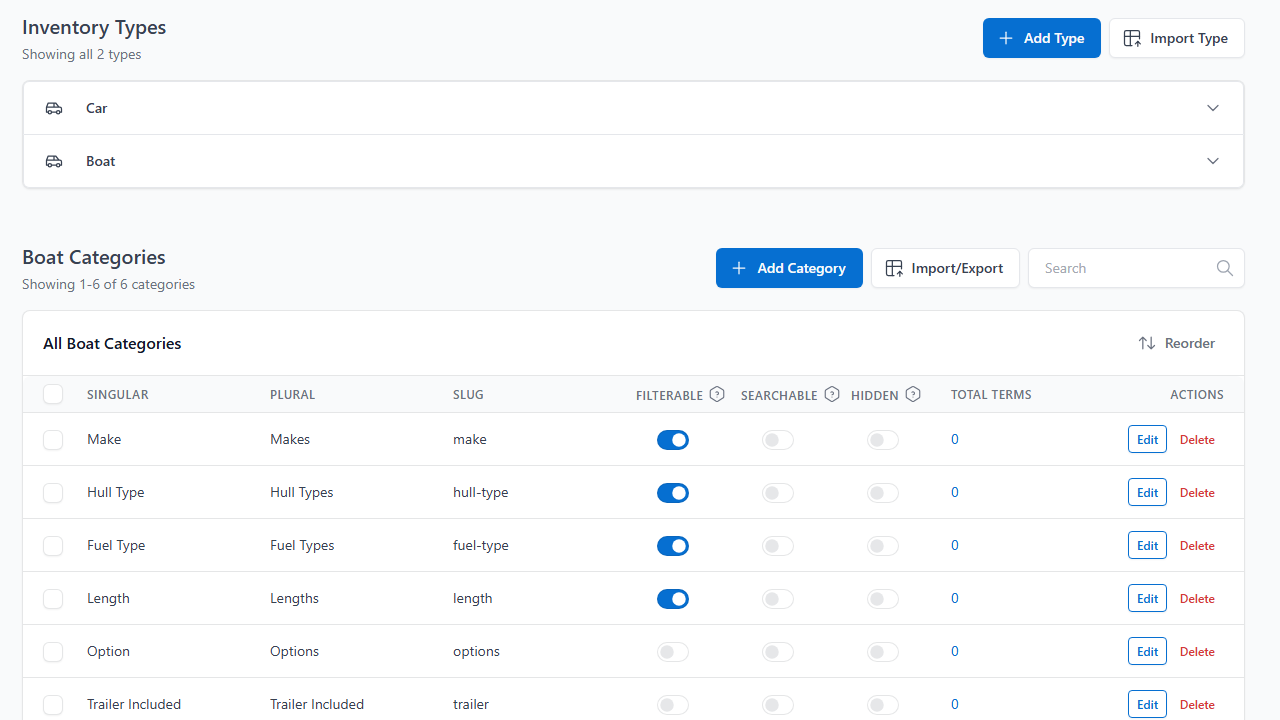
A type is its own world, with its own categories, statuses, badges, templates and menu. Sell boats and trailers side by side without bending one form to fit both.
- Ten field types, from dropdown and toggle to date and file
- Filters, badges and detail-page tabs per type
- Import your stock from CSV, XML, URL, FTP or sFTP
Pick your inventory
Solutions for every kind of inventory.
Choose the kind of unit you sell to see the fields and tools that fit it.

Cars, Trucks & SUVs. VIN decoding, financing calculators, history report links and Frazer sync.

Hull, engine, length and hours fields, long photo galleries and online deposits.

Serial numbers, hours and spec-heavy tabs, with PDF spec sheets and logged-in pricing for B2B.


Floorplan and spec fields, brochure PDFs and a compare tool for similar units.

Many small, similar units. Stock alerts, badges and quick edits.

Hours, attachments and implement fields, with regional radius search.

Airframe, engine and avionics fields, total time, price on request and brochures.

Track units you do not own, with statuses, income and expense per unit and aging rules.
Every type
What every type shares
Whatever you sell, these come with it.
Leads
Forms create leads tied to the listing, with roles and permissions for your staff.
Stock alerts
A search with no results becomes a sign-up, and an email goes out when a match arrives.
Photos and AI
Optimize photos and write descriptions, with monthly allowances by plan.
Import and export
CSV or XML in and out, with a log of every run.
Setup
Set up a type in four steps
Add the fields your buyers ask about.
Each type has its own categories, so a boat gets hull and engine fields and a tractor gets hours.
- Ten field types, from text and dropdown to date and file
- Prefixes and suffixes such as $ or hours
- Detail-page tabs for specs, features or location
Let shoppers filter by what matters.
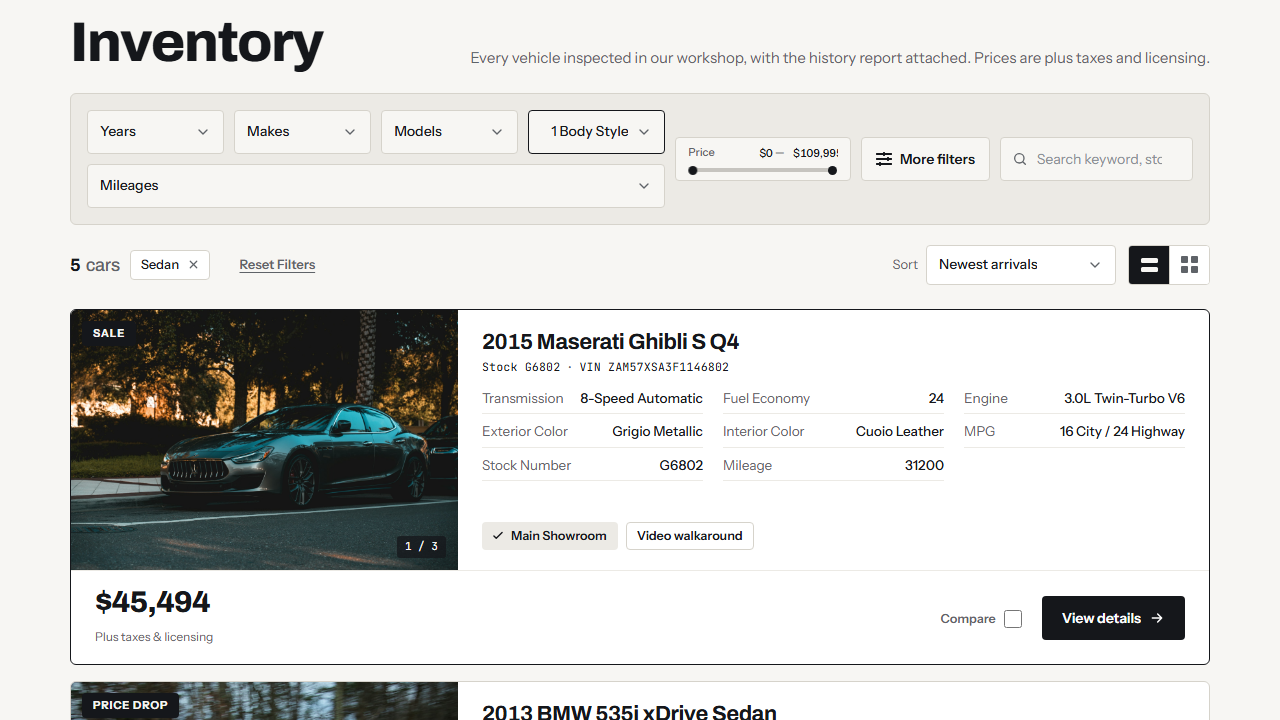
Mark any category filterable or searchable and it shows up on the results page.
- Dropdowns, ranges, swatches and active-filter chips
- Sort, view toggle and listing comparison
- Filter by any category you mark as filterable
Show where each unit stands.
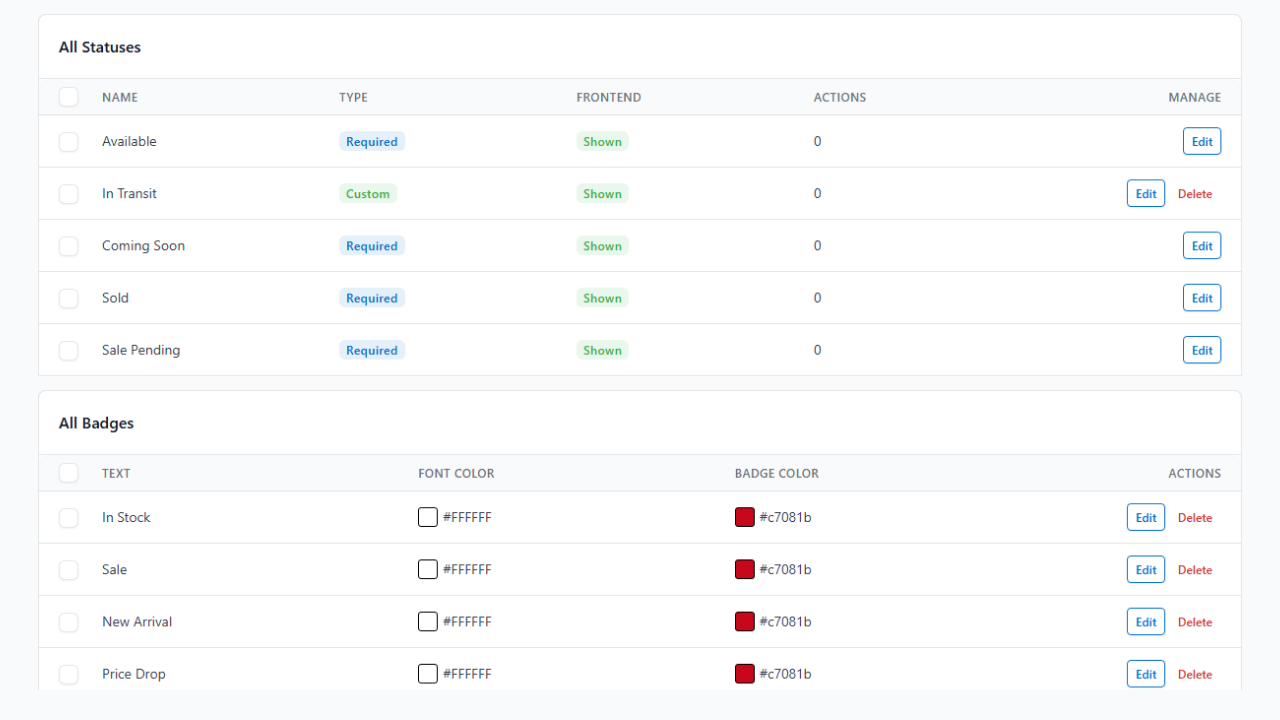
Available, Sale Pending and Sold come ready to use. Add Reserved, In Service or your own.
- Choose which statuses show on the site
- Badges by hand or by rule
- Groups for promotions
Design the pages in Elementor.
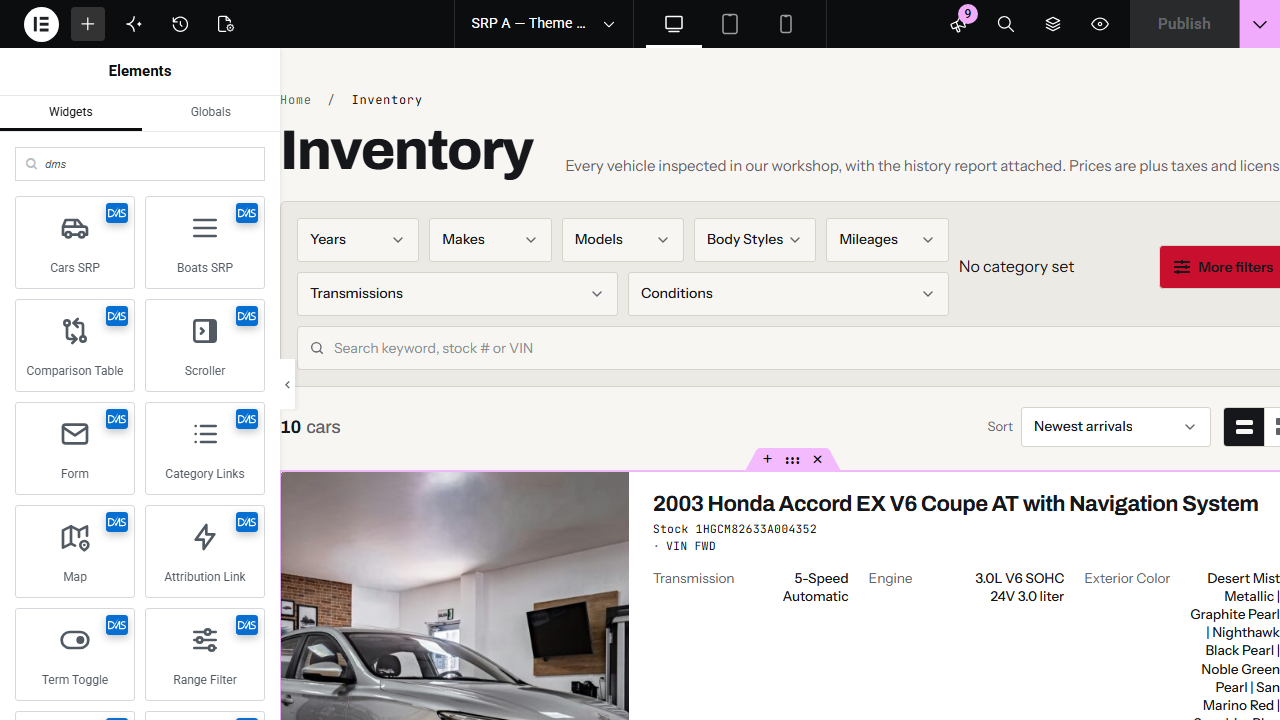
The results page, the result card and the detail page are templates you build with the DMS widgets.
- DMS widgets and dynamic tags
- One template for every type, or one per type
- No developer needed for layout changes
Use cases
Solutions for the job, not just the lot
Consignment
Track units you do not own with their own statuses, and see income and expense per unit.
Frequently Asked Questions
Answers before you start
Does it work for my kind of inventory?
Yes. You set up a type for each kind of unit, with your own fields, filters, statuses and badges. Cars, trucks, boats, RVs, powersports, golf carts, ag, heavy equipment and aircraft all work, and so does any industry that needs a simple and effective way to show its inventory online. See all solutions.
Can I sell more than one kind of unit on one site?
Yes. Each type has its own terms, categories, statuses, badges and templates, so cars and boats, or RVs and trailers, can sit side by side. See the solutions for each kind of unit.
Can I import from my current system?
Yes. Import CSV or XML files by upload, URL, FTP or sFTP (Inventory Import), or connect Frazer. Coming from the Automotive Listings plugin? We can migrate your inventory and keep your shortcodes working.
Do I need a developer to change how listings look?
No. The results page, the result card and the detail page are templates you edit visually in Elementor. Or start from a ready-made design in the template gallery.
I build sites for dealers. Is there something for me?
Yes. With five or more active licenses you can replace our logo and branding with your own. See the white-label program.
What does it cost?
Plans start at $25 a month (USD). The pricing page lists what each plan includes, and the savings calculator shows what you could save against what you pay today.
Have another question?
Ask us about your inventory, setup or plans.
Get started
Set up the kind of inventory you sell
Add a type, import your stock and put it online from one WordPress plugin.
Your data stays on your WordPress site, and your layouts stay yours to change.