
Inventory turnover
Accelerate Inventory Turnover
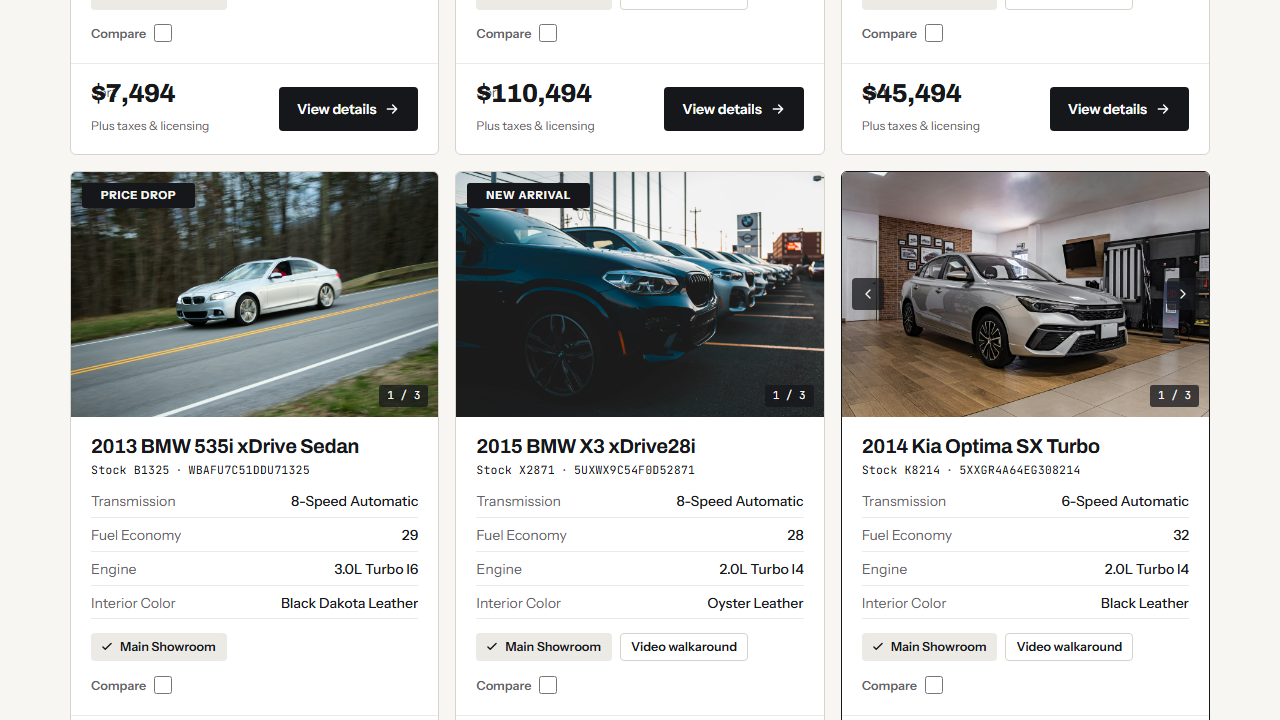
Give slow units another push with price drop badges, stock alerts for shoppers who found nothing, and filters that help buyers find what you have.
Promote the slow ones
Flag a price drop where buyers look
Add a Sale or Price Drop badge by hand or by rule, and show the original price with a strike-through.
- Badges such as Sale, New Arrival and Price Drop
- Apply them by hand or by rule with Conditional Badges
- Original price shown with a strike-through
Built in
What you get
Stock alerts
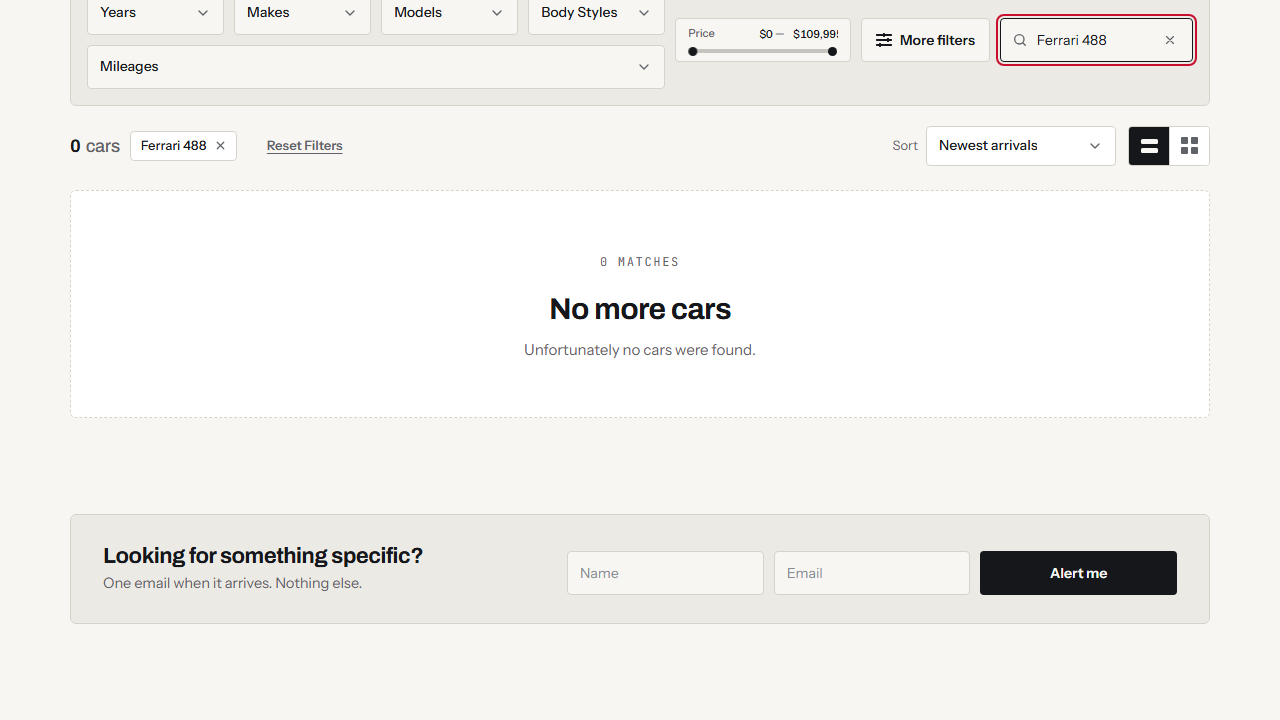
When a search finds nothing, shoppers sign up with it and get an email when a matching unit arrives.
Price drop badges
Show the change on the card, on the results page and on the detail page.
Sort and compare
Buyers sort and compare similar units on the results page.
AI descriptions
Refresh a tired description with AI for dealerships, using your monthly AI credits.
Back in stock
Turn empty searches into leads
A shopper who finds nothing can leave an email with the search. They get a confirmation, and another email when a match is added.
- Sign up from a no-results search
- Confirmation email, then an email when a match arrives
- Leads land in the built-in CRM
Pricing
Plans that fit your dealership
Plans start at $25 a month USD. See the plans, or work out what you pay today with the savings calculator.
Frequently Asked Questions
Answers before you start
How do stock alerts work?
When a search returns nothing, shoppers can sign up with their search. They get a confirmation email, and an email goes out when a matching unit arrives. See Stock Alerts.
Can I flag a price drop?
Yes. Add a Sale or Price Drop badge by hand, or have it assigned automatically, and show the original price with a strike-through.
Have another question?
Ask us about your inventory, setup or plans.
Get started
Set up your inventory and put it online
Add a type, import your stock and publish from one WordPress plugin.
Your data stays on your WordPress site, and your layouts stay yours to change.