Template gallery
Dealership Website Themes and Templates for Elementor
Start from a finished dealership design, or mix and match single templates from any theme. Everything is built in Elementor, so you can change all of it.
Two ways to start
Themes and templates
A theme is a whole design for your site. A template is one part of a design.
Themes
A complete Elementor design for your dealership website. Install a whole theme from the Themes page under Dealer.ms in your WordPress dashboard, or contact us to start using one.
Templates
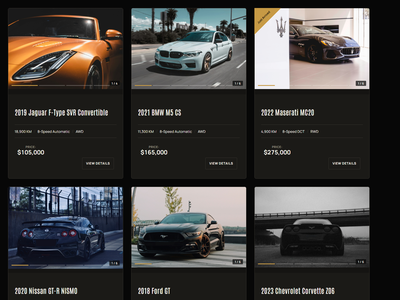
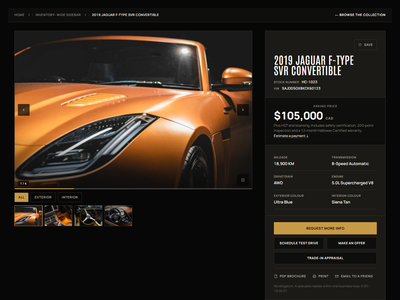
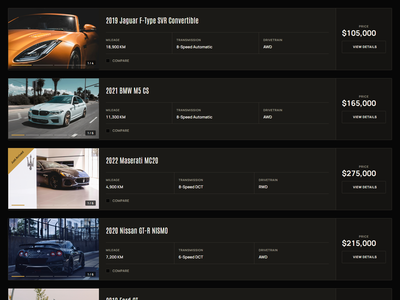
The individual DMS templates inside a theme: the Search Results Page (SRP), the Search Result Item card (SRI), the Vehicle Details Page (VDP) and forms. Install only the ones you want.
Themes
Start from a finished design
A theme gives your site its look: the home page, the pages, the header and footer, and the DMS templates that go with them.
- Install a whole theme from Dealer.ms, Themes in your WordPress dashboard
- Or contact us to start using a theme
- Edit every page in Elementor after you install

Themes
Themes you can install
Published themes by DealerThemes, running on Dealer.ms.
Modern Auto Franchise & High-Volume Dealership WordPress Theme
A modern, high-volume dealership WordPress theme built for franchise dealers and automotive groups that need a professional, streamlined online showroom.
Overlanding & Expedition Vehicle WordPress Theme
A rugged, adventure-focused theme built for overlanding, expedition vehicle, off-road, and specialty trailer dealerships.
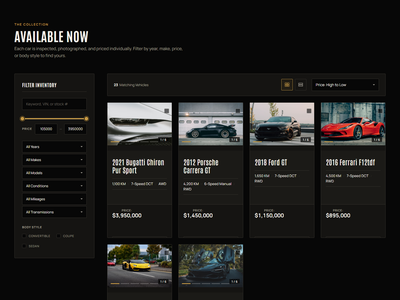
Luxury, Exotic & Supercar Dealership WordPress Theme
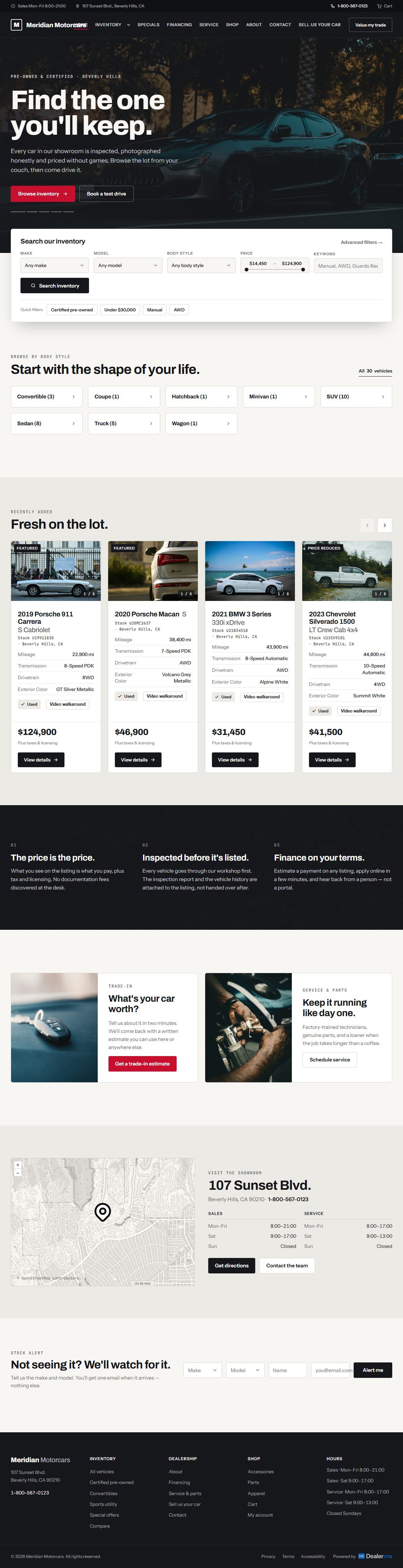
A premium WordPress theme designed for luxury, exotic, supercar, and collector vehicle dealerships, combining a sophisticated showroom aesthetic with powerful inventory-focused layouts.
Templates
The parts of a dealership site
Each template is one part of your site, built in Elementor and connected to your inventory.
Search Results Page
The page where shoppers browse and filter your inventory (SRP).
Search Result Item
The card for each unit in the results (SRI).
Vehicle Details Page
The page for a single unit (VDP).
Forms
Contact, test drive, make an offer and more.

Search Results Page

Search Result Item card

Vehicle Details Page


Mix and match
Use a card from one theme with another
Templates work on their own. Take the Search Result Item card from one theme and use it with another theme’s pages.
- Install a whole theme, or only its templates
- Use an SRI card from one theme with another theme's SRP or VDP
- Change anything in Elementor after you install
How it works
From the gallery to your site
Open Themes
In your WordPress dashboard, go to Dealer.ms and open Themes.
Choose
Install a whole theme, or pick only the templates you want from it.
Edit in Elementor
Change layouts, text and images in the visual editor.
Frequently Asked Questions
Questions about themes and templates
What is the difference between a theme and a template?
A theme is a complete design for your site. A template is one part of a design, such as the Search Results Page, the Search Result Item card, the Vehicle Details Page or a form.
How do I install a theme?
In your WordPress dashboard, go to Dealer.ms and open Themes. The list shows the themes your license includes. You can install a whole theme from there, or buy one on DealerThemes.com.
Are any themes included with my Dealer.ms license?
Yes. Some DealerThemes themes are included with your Dealer.ms license at no extra cost. Which ones you get depends on your plan. The rest are sold separately on DealerThemes.com. See pricing.
Can I use a template from one theme with another?
Yes. Install only the templates you want and mix them with any theme.
Do I need Elementor?
Yes. Elementor is the minimum requirement. Elementor Pro or Pro Elements is a bonus.
Can I change a theme or template after I install it?
Yes. Every page and template stays editable in Elementor.
How much do themes cost?
Some themes are included with your license at no extra cost. The rest are sold on DealerThemes.com, where theme pricing is set. Dealer.ms plan prices are on the pricing page.
Have another question?
Ask us about your inventory, setup or plans.
Get started
Start your dealer site from a theme
Get Dealer.ms, then install a theme from the Themes page in your dashboard.
Your data stays on your WordPress site, and your layouts stay yours to change.